A little shop. A clear next step.
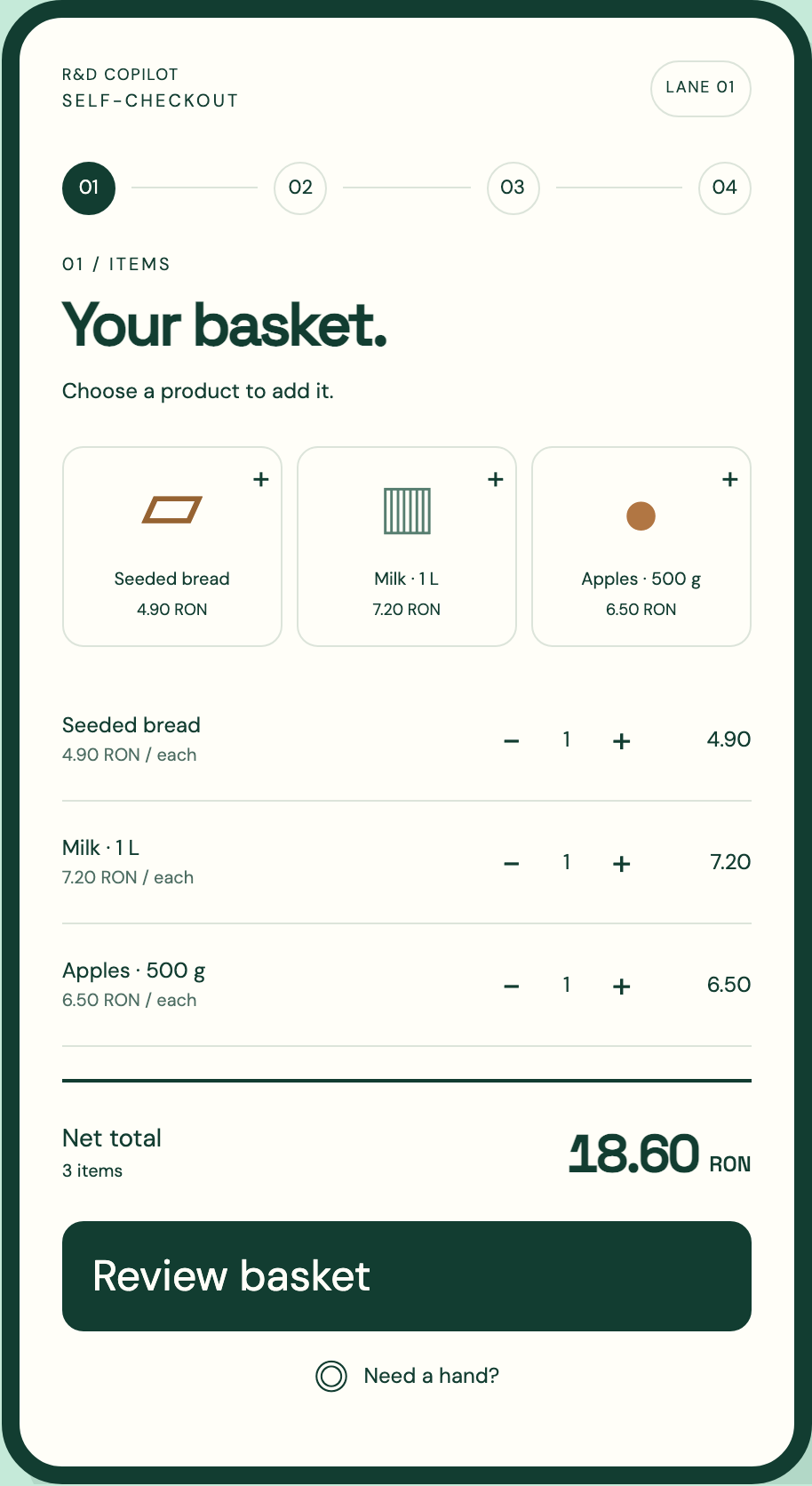
Your basket.
Your pace.
Give shoppers a simple way through checkout. Add an item, check the basket, and keep the next step in sight.
Plan your self-checkout laneSelf-checkout implementation · Request a project quote
Start with the shopper.Tap a product in the working interface.
Payments, fiscal equipment and staff routing are configured for your hardware, operator and country.
01 / ITEMS
Your basket.
Choose a product to add it.
Ready for the payment step
Terminal connection, payment provider and fiscal setup are scoped for your store.
No payment is processed in this interface.
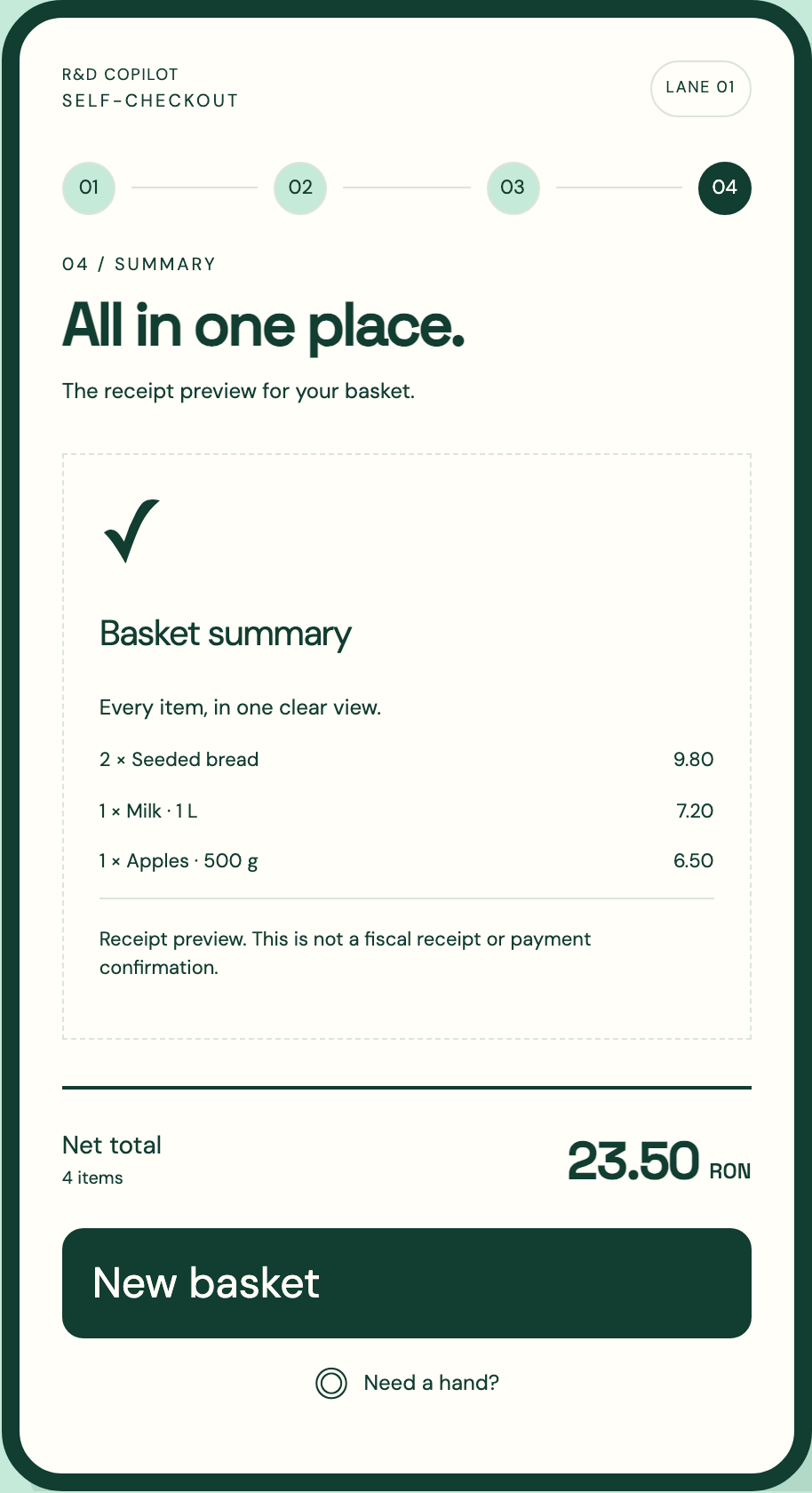
Basket summary
Every item, in one clear view.
Receipt preview. This is not a fiscal receipt or payment confirmation.
Interactive basket · Local browser session
ONE THING AT A TIME
Less searching.
More knowing what’s next.
- 01
Build the basket.
Keep each item and its price visible. The shopper always knows what has been added.
- 02
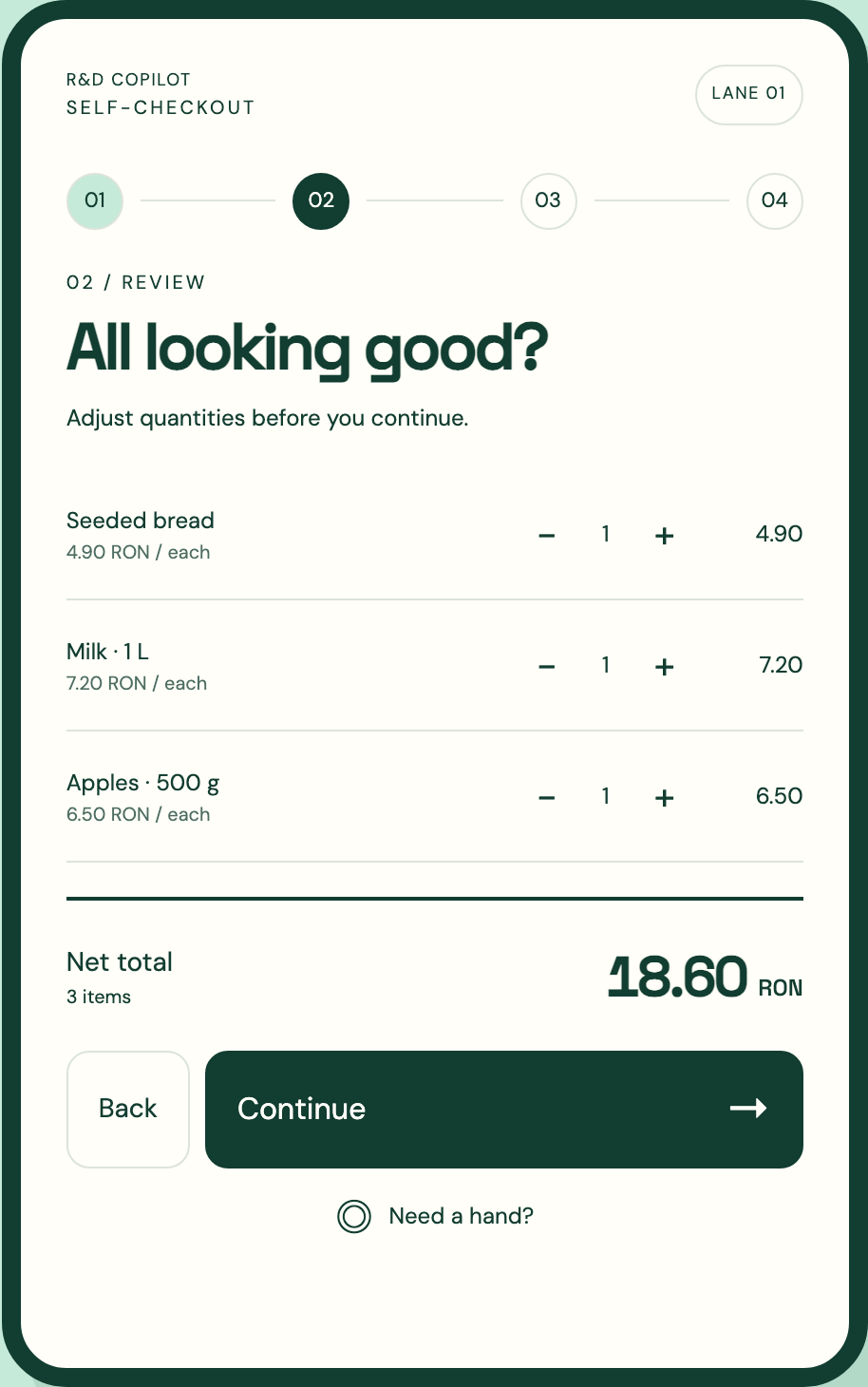
Make room for a correction.
Adjust quantities before continuing. A removed item updates the total immediately.
- 03
A deliberate payment step.
Define the handoff to your payment terminal, provider and fiscal workflow during project scoping.
- 04
Finish with a clear summary.
Bring items and totals together in a readable receipt view. Receipt delivery is part of the agreed setup.
A HUMAN WAY FORWARD
Sometimes, the next step is a person.
Keep help within reach, without losing the basket. Plan who receives a request, which lane needs attention, and how the shopper returns to checkout.
Explore the “Need a hand?” controlLET’S MAKE IT FIT
A good lane starts with your store.
Share how your store works. We’ll scope the shopper journey, the equipment and the connections before proposing a rollout.
- 01 The space
- Store format, lane position and shopper flow.
- 02 The equipment
- Touch display, scanner, terminal and receipt device.
- 03 The connections
- Catalog, stock, payment provider and fiscal requirements.
- 04 The people
- Attendant coverage, training and an agreed pilot.
A closer look